
Every time I restart my Mac running OS X Lion, the default browser, email and other applications are reset to the factory default!
If you’ve upgraded to OS X Lion, you may be one of the many users experiencing this problem.
See Also: Frozen or Locked Dock on Mac OS X Fix
If you prefer using a different default browser than Safari or a different email system than Apple Mail, there are many ways to change your default applications in Lion.
For the most control, you can install the RCDefaultApp Preference Pane for Mac that will allow you to specify the default applications for any extension in OS X.
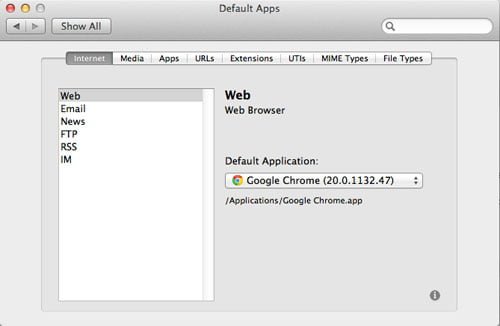
Many users however, have been setting their default apps and then when they log out of their account or restart their computer, the default apps revert to the default.
The default apps resetting on OS X Lion problem seems to be most prevalent on Lion Server network accounts using home folders.
I spent hours upon hours of searching for a solution to this problem.
Finally, I discovered that:
- This a Mac OS X 10.7 bug.
- It is in no way a problem with the way I configured my client computers or my server computer.
Fortunately for me and everyone else experiencing this problem, Stuart Snow created a simple script that fixes the bug available here:
Lion Network Home Folder Launch Services Fix
Stuart also explains that the bug occurs because, every time you reboot your Mac, the OS X Lion launches the default system services instead of those specified by the user.
If you follow the instructions on the link above, you will set the script to automatically launch upon login and all the script does is run a single terminal command that overrides the default system services launched by OS X Lion and launches the user specified services instead.
I have tested this “default applications not saving on Lion” fix with multiple network users and it has worked every time.
No bugs have appeared after running the script.
I hope it helps and thank you so much Stuart!