Update (05/16/2012): The problem of Facebook Timeline continuously refreshing seems to be affecting a lot more people as of Wednesday, May 16, 2012.
Hopefully it is a temporary spike in the number of Facebook users affected and Facebook will work to fix the issue.
I know some of you may not like this solution but since May 16, 2012, I have had confirmation from 100+ readers that switching to Google Chrome or Firefox as your primary browser solves the issue.
It has also been reported that if you use Firefox on Facebook for a little while, you should be able to switch back to Internet Explorer and the problem will be resolved.
If you don’t want to do that, you may have wait for Facebook to patch the bug or try one of the other suggested solutions below.
After reading the information below, if you have any additional details about the problem please leave them in the comments section below so we can help others troubleshoot the problem.
Original Article:
Based on the feedback I have received after writing a number of articles regarding Facebook Timeline, I have noticed that one of the most common complaints is that:
“While looking over a Facebook Timeline profile, the page will refresh and scroll / jump back up to the top of the page.”
This problem does not seem to affect everyone but for those who have experienced it, it can be very annoying.
See also: How to Prepare Your Facebook Profile for the Timeline Update
How to Stop Facebook Timeline from Scrolling to the Top of the Page:
Although there is no set solution for this problem, the main cause seems to be that users are not waiting for the Timeline profile to fully load.
If you are experiencing this problem, make sure you wait for the entire page to load before scrolling down. Once the page is loaded completely, it should no longer jump back up to the top of the profile automatically.
There have also been reports that the problem is happening mainly with users of Internet Explorer so you may want to try switching your browser to FireFox, Safari or Google Chrome.
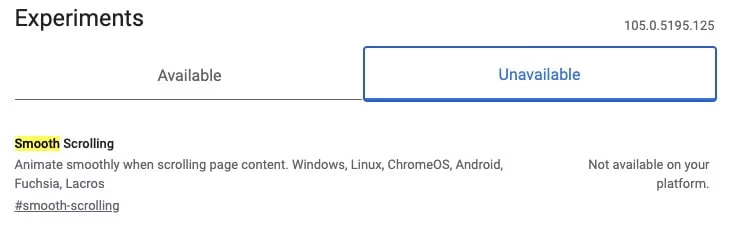
Internet Explorer users can also modify a setting that will fix the problem. In Internet Explorer, access “Tools“, “Internet Options“, “Advanced” and then, in the “Browsing” section, uncheck the box next to “smooth scrolling“.
If you have any more details on or information regarding this problem, please leave them in the comments section below.
Anson Alexander is a graduate from the University of Tampa with a degree in International Business and Information Systems.A previous IT Administrator for a medium size publication company, Anson has recently decided to work full time on his own business by publishing on AnsonAlex.com, publishing technology tutorials on YouTube and offering SEO, IT training and digital marketing services.His main interests include technology, social media, infographics, economics, marketing and web design.Connect with Anson on Google+.
Mine is doing the same thing. You are right, the scroll jumps back to the top when the page continues to load. Very annoying as you continue to scroll down and then the page updates. The scroll jumps back to the top and then the user must scroll back down and find where they left off. Hope that this gets corrected soon.
Internet exploer does have this problem for me, keep relfreshing for me and jumping to the top. How ever, if I use firefox this problem goes awya, therefore. It is a browser issue
I don't have this problem with other sites i IE, so it's not an IE problem. Developers should always code their sites to handle the differences between browsers, no difference here. Come on Facebook!
Waited for 20min for the page to fully load…..but still had the problem! It's not like I have that much to load either so I am really sorry I changed to the new timeline. Wish there was some way to go back to the old one!?!?!?
If you hold down escape button then it cant refresh. At least it works for me.
Same issues here even when you let the page load it will still load/refresh twice . Also when typing a comment or a message the whole thing dissapears over and over again when suddenly the page refreshes .
I might be onto something here >> I just removed the Farmville application from Google Chrome and the page no longer jumps on Facebook .
Apologies for 3 posts , but I couldn't see where I could edit my last post
I meant the app for Google Chrome for Farmville , not the FV game itself
This is utterly ridiculous. My page is very difficult to use. It's not a very pleasant experience. This has been an issue with Facebook for a very long time.
I wonder if there's a way we could organize a campaign: Everybody disables their account for a week if Facebook doesn't fix their stuff by a specified date.
I have the same problem. It's really irritating cause you cant really read or look at nothing probably. Keeps on jumping back to the top. It's worthless.
I have had this same problem continously since Facebook launced their Timeline. I have tried everything and still can't find a fix. Now that I know I'm not the only one, I'm wondering why IE hasn't addressed this, if in fact that's the problem's source. Is there a setting in IE that would discontinue updating and reloading? I'm NOT a techie but usually can find a work around for these kinds of problems. Sure would be nice if Facebook or IE would address the issue as I can't view my friends Timeline pages without a great deal of patience and time….maybe that's why they named it Timeline, cause you have to spend a lot of time trying to use it.
This isn't an issue with the IE program itself, it's an issue with the way facebook was developed. If it was an issue with IE, it would happen on all websites. Has anyone tried the 64bit version of IE vs. the 32bit?
If you us the 64bit version of IE the facebook page does not do that annoying refreshing like the 32bit does.
Can anyone else having the problem confirm that switching to the 64bit version of IE solves it?
Having the same problem, keeps jumping back up to the top of the page when I scroll down and I think it's getting worse. wth?
I've tried it on both 32-bit & 64-bit IE browsers. The problem is that the timeline never fully loads, but loads gradually as you scroll down. And IE (i dont know about other browsers) seems to always scroll to the top of the page if you scroll down while loading.
The effect you get, even if you think that the timeline has finished loading, is that as you scroll down, more of the page loads, and causes IE to scroll right back up to the top of the page.
I'm not sure if there is a work around for this though, other than switching to another browser as suggested before…
I know different people have different reasons for the browser that they use but I personally haven't used IE for about 6-10 years. I used Firefox for 4-5 years and for the last 2 years I have been using strictly Google Chrome.
It's when it changes the ads on the side that the refresh happens. The escape key doesn't work for me. I find that it happens on pages where people's comments are really, really long.
I have noticed that when it is jumping, somewhere in the address there is a #! that appears which makes it jump to whatever is the linkcode coming after it.
As one possible example, the page generally jumps to the top of the username's profile/timeline if the url in the address bar resembles the following: "https://www.facebook.com/#!/username"
If I delete the #! and enter the new address to read: "https://www.facebook.com/username" then all the jumping on that particular page ceases to exist.
This is a coding error. Pretty sure it only happens w Facebook. I'm using IE 8, by the way.
Any ideas on how to disable the #! issue, or is this purely done from inside facebook coding?
Surely Facebook should not change things for the worse! I can't view friends' pages if they have timeline, and we're all going to have timeline soon so what's the point? We will have a Facebook that 50% of users can't use! Why has it been set up so badly without checking for this glitch, and now, knowing about it, why haven't Facebook fixed it? They have made the change, they should fix it. NOW!
Ha, it worked, thanks for the help:)
Thanks for the tip to uncheck the box next to “smooth scrolling“.
It has stopped the problem that has been driving me MAD !
I'm on IE 8.0 32 bit.
Still no official FB fix on this issue. I find it facinating that the best known resolution is to download a non-Microsoft browser (Chrome or Mozilla). Microsoft is a part owner of FB!!! You think they would want you to use their product as much as possible.
http://www.businessweek.com/technology/content/oct2007/tc20071024_654439.htm
Michele,
I never quite put 2 and 2 together but you're right! That is ironic that Microsoft's browser doesn't work with one of their partner's products.
- Anson
BTW – the smooth scrolling worked like a charm. I linked to you on FB.
I'm glad it worked Michele!
Thanks for reading and sharing!
- Anson
The unchecking of the scroll box did nothing to fix the problem.
I had the same problem until I uninstalled Skype from my computer, and it seems to have fixed this problem.
I am experiencing a similar problem with my timeline profile page. Occasionally it jumps back to the top of the page (using firefox) but most recently my profile page is blank after February. At the bottom of the page it says that there are three errors. Any ideas of what might be causing this uploading glitch or why my profile is missing most of it's contents?
yes – but it also happens to me in Chrome, as well as IE. And for me it also is not respective to the profile loading. I can be on FB for an hour, and while I'm typing my screen will jump to the top (so where I am typing is no longer on the screen). I am eager to try unchecking "smooth scrolling" in hopes it will resolve the issue.
Unchecking Smooth Scrolling hasn't done a damn thing. This is the most RIDICULOUS thing I've ever encountered in my entire internet life. WTF good is having a social interface that you can't interface with??? I'm going to have to just STOP Using Facebook for a few months in the hope that this issue gets fixed. For the Record, I have a clean comp – I just reinstalled XP, all of the updates, Microsoft Security Essentials, I have NO APPS on Facebook, & I'm running IE 8. None of that seems to matter.
I don't even have timeline yet, and my page keeps doing that. Very annoying.
this is so annoying I may reduce my time on FB. Looking for another choice.
This wasn't a problem yesterday but I can't scroll down very far before it scrolls back to the top. It started this afternoon and is only a problem on Facebook.
I agree with Diane. I have stopped using FB very often becuase me getting annoyed is not why I go on FB anyway.
Facebook Timeline Keeps Refreshing and Jumping to the Top of the page
Not on Timeline but page jumps back, also unable to access older posts. Unchecking Smooth scrolling in IE did nothing, when you near the bottom of page it refreshes back to top so it is obviously FB problem.
I have the same problem, only with people who have timeline, I can't stand it and usually get frustrated and stop visiting their FB page. Timeline was a horrible idea.
I unchecked also, still jumping all over…I agree with everyone that its so frustrating, ready to jump ship! Had this problem in Feb, went away and now its been doing it for almost a week!!
after having a few days of issues, firstly i tried using fb on the aol browser, but although it was ok (ish), it then started refreshing
have now switched to chrome rather than ie and it seems ok (for now)
i think this may well be a particular problem for those running ie8 or earlier (i.e. machines running winxp as opposed to win7)
Thanks this info is SO helpful, THIS IS A FACEBOOK AND A MICROSOFT SOFTWARE PROBLEM ONLY,,that is obvious now.!
Facebook and partner microsoft fix you probblem!
This info has been so helpful this is a Facebook and Microsoft software problem ONLY!!!
My Facebook pages keep refreshing. I have Internet Explorer. This problem is so annoying and spoils the use of Facebook. Does Facebook know that so many people are complaining about the problem? Why can't we complain directly to FB and why aren't they fixing it?
When scrolling down my page jumps back to the top every few seconds and repeats messages etc
Some of my oldie posts back for years ago are missing on timeline (IE8, even I click "All Stories" on drop down menus). But seems ok on Chrome.
I'm also have refresh & up-down problems too.
I agree with Diane. This info has been so helpful this is a Facebook and Microsoft software problem ONLY!!!
I am using google….I still have to refresh every few minutes….this has been going on for 7 months now….sick of it….thinking of dropping them all. The guy at facebook told me they would have this fixed soon….hello 7 months is not a few minutes!!!
well,I have tried three different browsers and it still scrolls,so obviously it is NOT the browsers,it is an issue with Facebook in and of itself!
I cannot stay on there but a few minutes and I have to log out because of that issue.I let the page load fully too!
Not had this problem before but only seems to be on Facebook using Firefox today. Also had an earlier Firefox update to version 19.0 which added in an Autscroll option.
Have turned this off but left smooth scrolling on and it's worked.
Hope this helps someone else.
i want to refresh my facebook