There are many applications that need to use your Google+ Profile or Page ID to perform the operation that you ask them to.
For example, an application that needs access to your Google+ photos may need to know what your Google+ Profile ID is .
Although there shouldn’t be any issues with giving out your Google+ ID, it is still a good idea to make sure that you’re giving it to a trusted source.
How to Access Your Google+ ID:
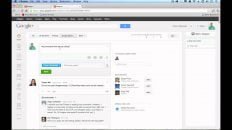
- Log in to Google+.
- Click on the “profile” tab on the left side of the screen.
- Look at the URL in the address bar.
- Note that the set of characters after “http://plus.google.com/” in the URL is your Google+ ID.
For example, when I view on my Google+ Profile, the URL in my address bar is:
https://plus.google.com/+AnsonAlexander
By looking at the URL, I can see that my Google+ ID is:
+AnsonAlexander
Don’t be alarmed if your Google+ ID looks something like this:
113551191017950459231
This is usually what Google+ IDs look like for new Google accounts.
As you use Google+ more and more, Google may prompt you with the option to upgrade to a vanity URL such as +AnsonAlexander.
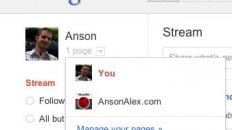
Google+ Profile IDs and Google+ Page IDs are found in the same manner, it just depends on what type of Google+ account you’re using.
Note: This article was originally posted in 2011 but was updated in 2017 to be as relevant as possible.