![]()
Since the release of Google Plus, a number of third party services and products have been released.
Many of these services require users to enter their Google+ user ID numbers to allow the application(s) to access user information such as the user’s profile picture or number of followers.
The best example I have of one of these applications, is the Google+ widget displayed on the right side of my blog.
See Also: Google+ “How To” Tutorial

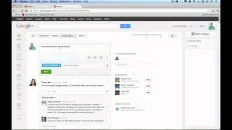
https://plus.google.com/113551191017950459231/posts
113551191017950459231
Don’t forget to check out my other Google+ related articles!
Anson Alexander is a graduate from the University of Tampa with a degree in International Business and Information Systems.A previous IT Administrator for a medium size publication company, Anson has recently decided to work full time on his own business by publishing on AnsonAlex.com, publishing technology tutorials on YouTube and offering SEO, IT training and digital marketing services.His main interests include technology, social media, infographics, economics, marketing and web design.Connect with Anson on Google+.
Thanks. Just what I needed to know.
Thanks! Helpful!
Thanks!
You where the ONLY one who could help me!
Thanks! I had no clue where to find the ID. :~)
thank you that's what i'm looking for
thanks
Many thanks for this information, I was stumped on this!
[...] The answer is Yes. There is an excellent post on dlvr.it’s own blog called Connect Google+ to Twitter and Facebook. I did have trouble finding my Google+ user id but found the answer here: How Do I Find My Google Plus User ID? [Google+]. [...]
asd
Thanks, just what i have been searching for.
Nice! Thanks Anson
Thank you, this info has been really helpful
Sue
Thank you wonderful person! I would have never figured that out!
Thank you. really helped
Thanks for this! I couldn't believe that there were no instructions for this even on the Google+ widget page!
I did find, however, that instead of my ID# showing up when on my profile it just had "me" instead. So I then performed a search for myself and copied the link which had the ID# in it.
Great, just found my ID. Thanks!
But it looks terrible…can it be changed to something like what we have in Facebook username?
Warning: Please read the WHOLE comment before following the steps…especially if your G+ account has been in use for a while…
After visiting your site, I continued searching for a way to create a vanity "pretty URL".
I did not like the gplus way… http://gplus.to/http://gplus.to/
Then I came to http://techwalls.com/news/set-custom-url-google-plus-profile/#comment-14962
Taking a risk with the suggestion there, here's what happened:
I had previously created my gmail and G+ account and so there was no way to change the G+ Use ID Number into a "pretty URL".
So, as suggested by the above site, I took the risk and DELETED my G+ account, but still keeping the same gmail account.
Then I signed in under that gmail account at https://profiles.google.com/me
Once in, the Profile URL showed a numbered URL but when I clicked on that, it allowed me to change and save a "pretty URL".
AFTER that, I re-created my G+ account under the same gmail account.
Then to test, I pasted the "pretty URL" into a new browser page and it re-directed to my re-created G+ account.
For others trying this, please note my deleted first G+ account was still quite bare so I took the risk to try this.
So be very careful if your G+ account is chock full of precious posts already.
When I clicked delete G+ account, google warned that my details will be LOST. So, weigh carefully between these details and the need for a "pretty URL".
For completeness, I must say that the "pretty URL" displays for only a couple of SECONDS and then it re-directed to display the Numbered URL (you can test this with my new "pretty URL below".
It's not like in Facebook where the "pretty URL" stays displayed.
So, the vanity moment is only fleeting, like in real life…
Thanks,
Alex
https://profiles.google.com/alexanderalexis.daredateme
It was so amazing.At last i found my Google ID.
Thanks….this was easier than i thought
Thank you. really helped
Hello,
Suppose, i have one Gmail+ profile.
I want to know the Gmail Email Address of that profile.
How can I get it ?
Regards,
Jack
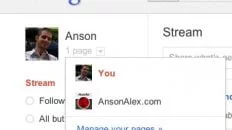
While in Google+, click on the thumbnail at the top right with your picture on it. You should be able to see your email address there.
- Anson Alexander
lalu
I think google should do something to shorten that stupid long string of numbers
Well formatted and useful article. I have learnt how to write a shot and useful "How to" article from you.
Hope to see more blogs from you,
Thanks and regards,
Subodh Sarkar
Owner & Editor-in-chief at techamplus.com
Thanks alot for your effort.
How to get user ID of an fan page ?
SIR ACTUALLY I WOULD LIKE TO ASK YOU
HEY SIR I WOULD LIKE TO ASK YOU THAT I WANT TO MAKE MY IDENTITY ON GOOGLE
Hey thanks for the post buddy
Thank you!
Thats what i call comprehensive & to the point answer
Thanks – I was trawling the net looking for this solution.
Hi i am vignesh my life browser browser
Superb – I had been trying to find my Google ID for ages and could not source the correct set of numbers without the URL