
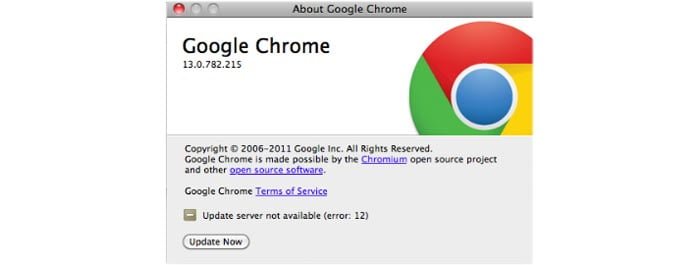
When updating your Google Chrome browser on Mac systems it is very common to get the “Update Server Not Available (Error: 12)” message.
Unfortunately, there is no exact way to fix this problem but I have discovered 3 workarounds that will help you upgrade to the newest version of Google Chrome for Mac.
- Keep Restarting Chrome and Trying Again
- Delete Old Version and Re-download New Version
- Use Terminal
- Open Terminal
- Enter this on the command line:
~/Library/Google/GoogleSoftwareUpdate/GoogleSoftwareUpdate.bundle/Contents/Resources/GoogleSoftwareUpdateAgent.app/Contents/Resources/install.py --uninstall
- Then enter this on the command line:
sudo /Library/Google/GoogleSoftwareUpdate/GoogleSoftwareUpdate.bundle/Contents/Resources/GoogleSoftwareUpdateAgent.app/Contents/Resources/install.py --uninstall
I hope these workarounds helped to solve the problem with the update server not being available for Google Chrome on Mac. If you have another suggestion or solution please don’t be afraid to add it below in the comments section.



